
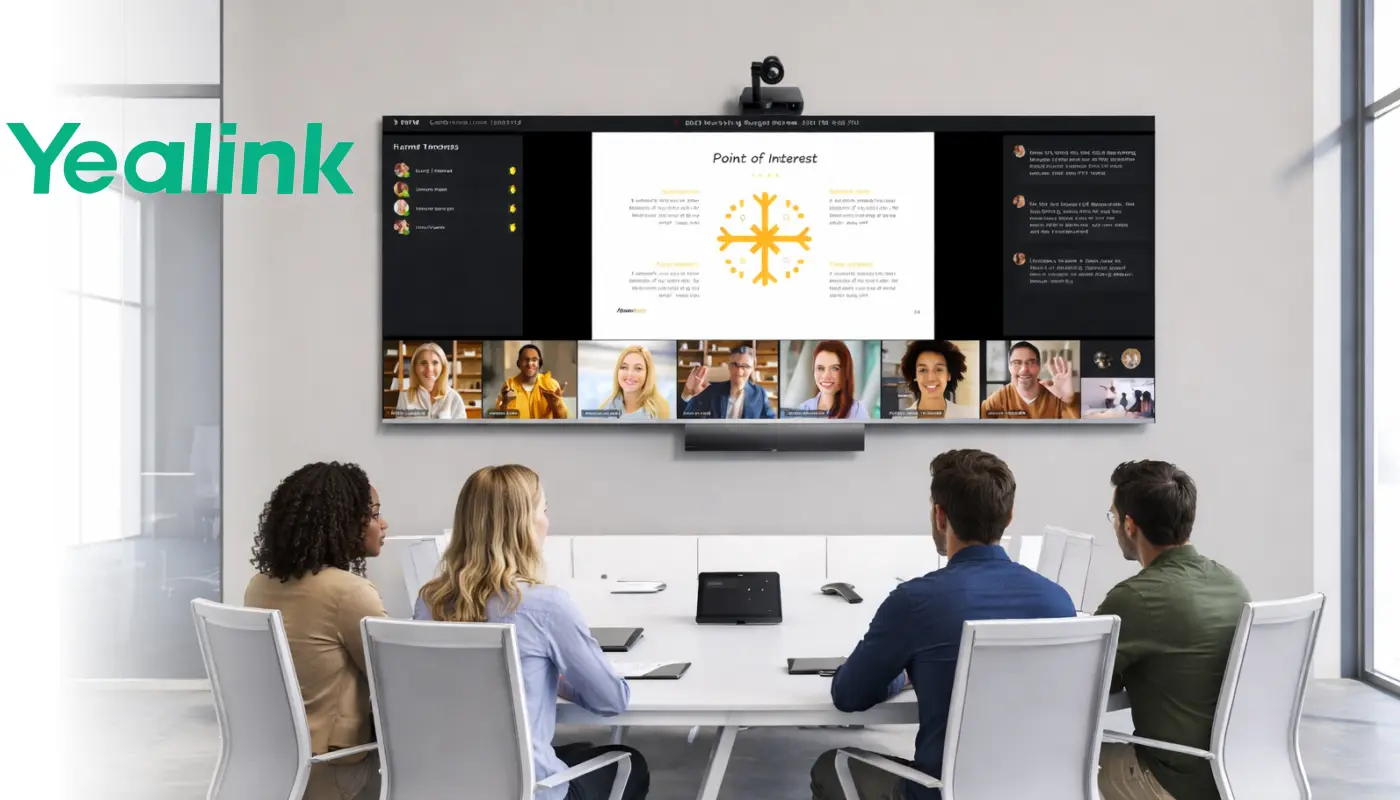
Yealink Video Conferencing Dubai From AED 2,800 — Teams and Zoom certified video bars for every room.
Five MeetingBar models. Android 13. Teams certified, Zoom certified, BYOD ready. Huddle rooms, conference rooms, boardrooms. Supplied and installed across Dubai and UAE — same week.
Teams certified is not the same on every Yealink video bar. Here is what changes.
All five MeetingBar models run Android 13 natively — no separate PC required. Plug in power and HDMI, sign into Teams or Zoom, and the room is ready. The system handles its own compute, camera, microphone, and speaker. One device. No rack. No cabling nightmare.
The difference between models is not just room size. The A10 and A20 are certified for Microsoft Teams and Zoom Rooms — solid, capable systems for BYOD rooms, home offices, and smaller spaces where the meeting load is moderate. The A25, A40, and A50 carry MDEP — Microsoft's Device Ecosystem Platform. MDEP means Microsoft validates the device's security architecture, manages its software lifecycle on the same schedule as your broader Microsoft infrastructure, and deploys Teams updates through the same channel as every other device in your organisation.
For a hot-desk room or a home office, the A10 is the right answer. For a boardroom, a legal meeting room, a government office, or any space where the conversation is commercially sensitive — A25, A40, or A50 with MDEP is the specification that matters.
Five video bars. Every room covered. All Android 13.
From a 2-person huddle room to a 15-person boardroom. Every model is all-in-one — compute, camera, microphone, and speaker in a single bar that mounts under the display.
MeetingBar A10
- 4K camera · 120° field of view · 4x ePTZ
- 8 MEMS microphone array · 4.5m pickup
- 5W speaker · AI noise cancellation
- Electric privacy shutter — hardware, not software
- Auto Framing · Speaker Tracking
- BYOD via USB-C · Wi-Fi · Bluetooth
- Android 13 · YMCS remote management
- Teams certified · Zoom certified
MeetingBar A20
- 20MP Sony camera · 120° · 4x ePTZ
- Better low-light than A10 — larger sensor
- 8 MEMS microphone array · 6m pickup
- AI noise cancellation · full-duplex
- Auto Framing · Speaker Tracking
- Multi-focus Framing · Picture-in-Picture
- Wireless content sharing via WPP30
- Android 13 · Teams · Zoom certified
MeetingBar A25
- Triple 4K cameras · 151° ultra-wide · 6x ePTZ
- MDEP certified — Microsoft enterprise security
- IntelliFocus — real-time speaker close-up
- Video Fence — virtual camera boundary
- 8 MEMS microphone array · AI noise cancellation
- One-Cable Solution — single Cat5e to touch panel
- 5-minute setup from box to first call
- Android 13 · Teams · Zoom · BYOD
MeetingBar A40
- Dual 48MP cameras · 120° · 6x ePTZ
- MDEP certified — full enterprise security stack
- IntelliFocus · Video Fence
- 8 MEMS mic array · supports 2 expansion mics
- Dual 10W stereo speakers
- Wi-Fi 6 · Bluetooth 5.0
- Android 13 · Teams · Zoom · BYOD
MeetingBar A50
- Triple 50MP cameras · wide + dual telephoto · 8x ePTZ
- Qualcomm 8550 — 50% faster, 10x AI processing
- MDEP certified — top-tier enterprise security
- IntelliFocus · Video Fence
- 16 MEMS microphone array · 10m full-duplex pickup
- Supports 3 expansion microphones
- Physical shutter — closes automatically when meeting ends
- 4×5W stereo speakers · Android 13
Three situations. Three setups. One supplier.
Specs on a product card tell you what the device can do. They do not tell you which combination of features solves your specific problem. These three setups are built around real situations — with the Yealink combination that answers each one.
The meeting that cannot fail
IntelliFocus shows each speaker in close-up as they talk — remote participants see the face, not a wide shot of the room. Wired Ethernet removes Wi-Fi as a failure point. YMCS monitors the device health continuously — if something is wrong at 6am before a 7am call, IT gets an alert and fixes it remotely. The A40's dual 48MP and A50's triple 50MP cameras mean video quality is not a variable. The meeting looks professional regardless of what is happening outside the building.
The room that manages itself
Teams pushes a mandatory automatic restart between 2am and 3am local time — the device resets itself every night. YMCS pushes firmware over the air while the office is closed. If something fails before a morning meeting, IT accesses the room device from home via YMCS remote control and resolves it without travelling in. No on-site visit. No delay. The room is always ready because it takes care of itself between visits.
The room that opened last month
One Cat5e cable from the MeetingBar A25 to the CTP25 touch panel does power, network, and data — no separate power brick on the table. YMCS auto-provisions the device remotely, so IT configures it before it arrives on-site. A visitor plugs one USB-C cable and the room system becomes their camera, microphone, and speaker for any platform — no driver, no app, no IT involvement. From box to running first call: under thirty minutes.
Three AI features your current video bar probably does not have.
These are not marketing terms that describe the same basic auto-framing found on every camera. Each one solves a specific problem that standard video bars leave unresolved.
The remote participant sees a face — not a room.
Standard auto-framing shows everyone in the room in a wide shot. IntelliFocus goes further — it identifies who is speaking and displays a real-time close-up of that person on the remote participant's screen, while the wide view continues on a second stream. The person calling from another city sees the speaker's expression, not their silhouette at the end of a conference table. Available on A25, A40, A50, and MeetingBoard Pro.
People walking past the glass partition stop breaking the meeting.
Video Fence lets you define a virtual boundary around the meeting space. The camera tracks only people inside that boundary — anyone walking past in the corridor, the open-plan office behind, or the glass partition is excluded from the frame automatically. The meeting room looks contained and professional regardless of what is happening outside it. Available on A25, A40, and A50.
The keyboard, the air conditioning, the door — removed.
This is not basic echo cancellation. Yealink's AI noise cancellation uses a deep-learning model trained specifically to identify and remove keyboard typing, chair dragging, door opening, and air conditioning noise — the sounds that fill Dubai office environments. What the far end hears is voices only. The algorithm runs on-device, with no cloud latency. Available across all five MeetingBar models.
Seven layers of security built into the A25, A40, and A50 — explained in plain English.
If your Yealink video bar is in a permanent meeting room — not a BYOD hot desk — these are the layers protecting those conversations. They are built into the firmware and verified by Microsoft's MDEP programme. You do not need to configure them. They are on by default.
1 · AES-256 Flash Encryption
The device's internal storage is encrypted with AES-256. If the physical device is removed from the room, the data cannot be extracted without the encryption key. This is the same standard used in military communications and financial infrastructure.
2 · TLS 1.3 — Older Versions Blocked
All communication between the device and external services uses TLS 1.3. The firmware explicitly prohibits TLS 1.0 — the older standard with known vulnerabilities that many cheaper devices still accept. No negotiation to a weaker standard is possible.
3 · Secure Boot
The device verifies the integrity of its firmware before the operating system loads. If the firmware has been tampered with, the device will not start. A modified MeetingBar cannot be booted — the check happens before any software runs.
4 · Firmware Digital Signature
Every firmware update is digitally signed by Yealink. Before any update is applied, the device verifies the signature. An unsigned update — whether from a man-in-the-middle attack or a compromised server — cannot be installed. The update chain is unbreakable.
5 · SELinux Enforcement
The Android operating system runs with SELinux enforced at the kernel level. If any process is compromised — by a malicious app, a rogue update, or a network intrusion — it operates in strict isolation. It cannot access other system resources, cameras, microphones, or stored data.
6 · Kernel Anti-Root Check
The device actively monitors for attempts to gain root access to the operating system. Root access is blocked at the kernel level — not by application policy, which can be bypassed, but at the lowest level of the system where policy cannot be overridden.
7 · 802.1X Network Authentication
Before the MeetingBar joins your network, it must authenticate as an authorised device. An unauthorised device placed in the room cannot impersonate the MeetingBar on your network. Works on both wired Ethernet and Wi-Fi connections.
The camera that sits in the middle of the table — and sees everyone from the front.
A front-of-room video bar covers the room well. But in a long conference table with 10 or 12 people, the person at the far end is still small on the remote participant's screen. MTower solves that differently — it sits at the centre of the table, turns to face whoever is speaking, and pairs with the front-of-room MeetingBar to give remote participants face-on views of every seat.
Specifications
- ·Triple 8MP 4K Sony-sensor cameras
- ·322° camera field of view · 360° audio pickup
- ·Telephoto centre: 84.4° · Two wide-angle: 151° each
- ·6+1 microphone array · 6m voice pickup range
- ·AI Best-View Switching — auto-selects optimal angle
- ·Teams IntelliVision — frontal view of each participant
- ·Qualcomm QCS8550 processor — on-device AI
- ·Magnetic levitation privacy shutter — rises silently when in use
- ·USB or RJ45 connection · plug-and-play
- ·Pairs with MeetingBar A40 or A50 at front of room
Why it matters
When remote participants are joining a meeting they cannot attend in person — a client pitch, a board update, a key decision — the quality of what they see affects how present they feel. A wide-room shot where every face is small communicates distance. Face-on views of whoever is speaking communicates presence.
MTower's magnetic levitation shutter is also relevant: when the meeting ends, the shutter descends automatically and silently. The room is not recording between sessions. There is no manual step. Privacy is the default state.
Display, camera, microphone, whiteboard. One device. Ten minutes.
For rooms where you present, teach, or run sessions where the whiteboard is the meeting — MeetingBoard Pro replaces four devices with one. No separate display, no front-of-room camera, no separate microphone, no standalone whiteboard. One unit mounts on the wall or rolls in on a stand. Ten minutes from delivery to first meeting.
65 inch
For small to medium rooms and huddle spaces. 4–8 people. Same camera and audio system as the larger sizes — triple 50MP, 16-MEMS, 12m pickup. Teams and Zoom certified.
75 inch
For standard boardrooms and training rooms. The middle option — covers rooms where the 65" is tight but the 86" is excessive. Same AV specs throughout the range.
86 inch
For large training rooms, auditoriums, and creative studios. 4K display at 86 inches. The 16-MEMS microphone array reaches 12 metres — every voice in a large room captured without extension mics.
What is built in
- ·Triple 50MP cameras · IntelliFocus · Video Fence
- ·16 MEMS microphone array · 12m full-duplex pickup
- ·36W stereo speakers
- ·4K multi-touch display · 20-point touch · anti-glare
- ·Microsoft Whiteboarding · dual-person simultaneous writing
- ·Palm rejection · four-level stylus · gesture erasing
- ·Android 13 · AES-256 · Teams + Zoom certified
- ·Wireless sharing: AirPlay, Miracast, Yealink WPP
Right rooms for MeetingBoard Pro
- ·Training rooms — presenter needs to annotate live
- ·Board presentations — deck needs marking during discussion
- ·Creative sessions — whiteboard is the meeting
- ·Classrooms — teacher content sharing + remote students
- ·Rooms where clutter of multiple devices is a problem
Researching the MeetingBoard 65 or 86?
The original MeetingBoard series reached end-of-sale on 30 June 2025. The MeetingBoard Pro is the current product — all three sizes are available to order.
When the room is too large for a video bar — the 4th-generation MVC system.
Some rooms need more than an all-in-one bar. Large boardrooms with long tables, training rooms with ceiling microphones, auditoriums with multiple PTZ cameras, legacy AV infrastructure that needs to be preserved — these are where the MVC modular system applies. The compute sits in a rack or behind the display. The camera, microphone, and speaker are separate components chosen for the room.
MVC640 and MVC940 — End of Sale December 31, 2025
If you are comparing prices and find MVC640 or MVC940 stock — these products reached end-of-sale on 31 December 2025. Yealink will provide support but no new feature development. The 4th-generation MVC S-series is the current replacement with MCore 4 compute (Intel Ultra5 125H) and enhanced AI features including IntelliFocus and Video Fence at the Windows Teams Rooms level.
MVC S40
- SmartVision 40 — dual 48MP integrated bar
- IntelliFocus · Video Fence built-in
- MCore 4 compute — Intel Ultra5 125H
- MTouch Plus · RoomSensor presence detection
- Microsoft Teams Rooms on Windows
- Replaces MVC640
MVC S50
- SmartVision 50 — triple 50MP integrated bar
- IntelliFocus · Video Fence
- MCore 4 compute — Intel Ultra5 125H
- 8–10m voice pickup range
- CM20 ceiling mic compatible for larger spaces
- Teams Rooms on Windows · ZVC S50 for Zoom
MVC S80
- UVC86 dual-eye 4K PTZ · 12x optical zoom
- Multi-camera speaker tracking
- MCore 4 compute — Intel Ultra5 125H
- CM20 SkySound ceiling mic — 16-mic array, PoE
- Microsoft Teams Rooms on Windows
- Zoom Rooms version: ZVC S80
MVC S90
- UVC86 x2 · 12x optical · up to 9 cameras via AVHub
- MCore 4 compute — Intel Ultra5 125H
- MTouch Plus · BYOD Extender · RoomSensor
- CM20 or CM50 SkySound ceiling mics
- Microsoft Teams Rooms on Windows
- Replaces MVC940
MVC S98
- 3+1 eye 4K camera · 20x optical zoom
- Complex spaces · auditoriums · training halls
- MCore 4 compute — Intel Ultra5 125H
- CM50 SkySound — Dante ceiling mic for ProAV
- Microsoft Teams Rooms on Windows
- Enquire for configuration
ZVC Series
- ZVC S40 / S50 / S80 / S90 — Zoom certified
- Same MCore 4 compute and SmartVision cameras
- Managed via Zoom Device Management (ZDM)
- CM20 / CM50 SkySound ceiling mics compatible
- Quote separately — configured per room
All MVC S-series systems are quoted individually — room size, display count, microphone type, and cable runs affect the final configuration. Contact us for a site assessment and quote.
Manage every Yealink room across your UAE offices from one browser tab.
Yealink Management Cloud Service — YMCS — gives IT teams visibility and control over every MeetingBar and MVC device in their estate. One browser. No agents. No on-site visits for routine tasks.
What YMCS does
- ·Firmware management — schedule updates across all devices simultaneously, run overnight, review results in the morning
- ·Health monitoring — alerts for poor call quality, firmware failures, connectivity issues — before they affect a meeting
- ·Remote control — access the room device interface from home, restart, reconfigure, troubleshoot without driving in
- ·Auto-provisioning — configure a new device remotely before it arrives on-site
- ·Teams Admin Center integration — managed in the same Microsoft console as the rest of your Microsoft infrastructure
- ·Zoom Device Management integration — same capability for Zoom deployments
Coverage
- ·All five MeetingBar models (A10 added remote control Sep 2025)
- ·All MVC S-series systems
- ·CTP18 and CTP25 touch panels
- ·Multiple offices — one account, all locations
Video conferencing built into the desk. For individuals who meet all day.
The DeskVision A24 is Yealink’s all-in-one personal video collaboration device — a 23.8-inch 4K display with a built-in camera, microphone, and speaker. It replaces the monitor on a desk and turns it into a fully capable Teams or Zoom station. For executives, managers, and remote workers who run video meetings throughout the day from a fixed desk, it eliminates the external webcam, speakerphone, and cable tangle entirely.
- ·23.8-inch 4K IPS touchscreen display
- ·Built-in 8MP camera · auto-framing · privacy shutter
- ·Built-in 8 MEMS microphone array · noise cancellation
- ·Teams certified · Zoom certified · Android 13
- ·Replaces monitor + webcam + speakerphone in one device
Right for:
- ·Executives and managers on video meetings all day
- ·Permanent remote or hybrid work desks
- ·Home offices needing a single-device professional setup
- ·Dubai offices deploying personal VC to individual desks
Which Yealink for which room?
Three scenarios. One answer each. All available from Dubai stock.
Huddle Room / Home Office
BYOD or standalone. Teams or Zoom. Electric privacy shutter. Electric privacy shutter. Plug in, sign in, call. No separate PC. Under 10 minutes to first meeting.
💬 Quote for Huddle RoomMeeting Room
MDEP certified. IntelliFocus. Video Fence. For rooms used regularly for client meetings, internal governance, or any conversation that matters. Permanent installation.
💬 Quote for Conference RoomBoardroom / Large Room
Triple 50MP cameras or modular external PTZ systems. 10–12m microphone pickup. MDEP. The full security stack. Configured to the room — not sold off-the-shelf.
💬 Enquire for BoardroomYealink distributor Dubai — supplied, configured and installed across UAE.
We are an authorised Yealink distributor for UAE and MEA. Stock held in Dubai. Systems are supplied with genuine warranty, configured to your Teams or Zoom environment before delivery, and installed by our own technical team. One point of contact from purchase to first call.
Yealink video conferencing installation across all seven emirates.
Yealink MeetingBar systems are installed by our team across the UAE. All seven emirates serviced — including Abu Dhabi, DIFC, and all free zones. Commercial towers, schools, government buildings, healthcare facilities, and hospitality venues. For organisations running video conferencing as business continuity infrastructure, our team installs and maintains systems across all seven emirates. Same standard of supply and installation wherever your office is located.
Etisalat (e&) and du internet connections supported. TRA-compliant installation. All systems use UAE-compliant VoIP and video protocols where applicable.
From enquiry to running meeting — four steps.
Tell us your room
Room size, number of seats, your platform — Teams or Zoom. WhatsApp or call. We respond same day, Monday to Saturday.
We recommend the right model
Based on room size, use case, and security requirements. No upselling to a model larger than you need. AED price confirmed before you commit.
We supply from Dubai stock
Genuine Yealink hardware from authorised distributor stock in Dubai. Pre-configured to your Teams or Zoom environment before it leaves our warehouse.
Our team installs
On-site installation, cabling, display mounting, and system verification. First call tested before we leave. YMCS configured if required.
Yealink MeetingBar Dubai and video conferencing systems — questions we get asked every week.
For a room up to 5 people: the A10 from AED 2,800 is the right starting point if it is a BYOD or casual-use room. If the room is used for regular client meetings or internal governance, the A25 at AED 4,200 is the better answer — it adds MDEP security, a 151° triple-camera system, and IntelliFocus. For 5–12 people in a standard conference room, the A40 from AED 5,500. All three are all-in-one bars that mount under the display — no separate PC needed.
The main difference is MDEP — Microsoft Device Ecosystem Platform. The A10 and A20 are certified for Teams and Zoom but without MDEP. The A25, A40, and A50 carry MDEP, which adds enterprise-grade security (AES-256, TLS 1.3, Secure Boot, SELinux), longer software lifecycle management, and tighter integration with Microsoft's device management infrastructure. The A25/A40/A50 also add IntelliFocus (real-time speaker close-up) and Video Fence (virtual camera boundary) — features not present on the A10 and A20.
MDEP is Microsoft's Device Ecosystem Platform — a certification that validates a device's security architecture and ties it into the same update and management lifecycle as Microsoft's enterprise ecosystem. If your organisation manages devices via Microsoft Intune, Azure AD, or Teams Admin Center — MDEP-certified devices integrate cleanly. If your meeting room is used for commercially sensitive discussions, legal matters, or regulated communications — MDEP gives you a verifiable security baseline. For a home office or a casual BYOD room, the A10 without MDEP is entirely sufficient.
This is the problem IntelliFocus solves. Standard auto-framing shows everyone in the room in a single wide shot — remote participants see a group of people but cannot easily identify who is speaking. IntelliFocus detects the active speaker and displays a real-time close-up of their face on the remote participant's screen, simultaneously with the wide-room view. It works automatically — no camera operator, no manual control. Available on the A25, A40, A50, and MeetingBoard Pro.
Video Fence. You define a virtual boundary around the meeting space — the camera tracks only people inside that boundary. Anyone walking past outside the defined zone is excluded from the camera view automatically. The meeting room looks contained and professional regardless of activity in the open-plan office behind it. Video Fence is available on the A25, A40, and A50.
Yes. All five MeetingBars run Android 13 natively and support both Microsoft Teams Rooms and Zoom Rooms. The system is configured for one primary platform — you select Teams or Zoom during setup. Switching between platforms requires a reconfiguration, not new hardware. All models also support BYOD mode via USB-C — a visitor can plug in and use the room system as their camera and microphone for any platform, including Google Meet, Webex, or RingCentral, without changing the room's primary configuration.
Both reached end-of-sale on 31 December 2025. Yealink will continue to support existing installations but no new stock is available and no new features will be developed for these models. The replacements are the 4th-generation MVC S-series — MVC S40 replaces the MVC640 for small to medium rooms, and MVC S90 replaces the MVC940 for large and extra-large rooms. Both use the MCore 4 compute unit with Intel Ultra5 125H and add IntelliFocus and Video Fence at the Windows Teams Rooms level.
YMCS — Yealink Management Cloud Service. One browser login shows every Yealink device across all your locations. IT can push firmware updates to all rooms simultaneously overnight, receive health alerts before a device problem affects a meeting, access any room device remotely to troubleshoot without an on-site visit, and auto-provision new devices before they arrive on-site. Microsoft Teams also runs an automatic maintenance restart at 2–3am local time on every MeetingBar — the device resets itself nightly without any IT action. YMCS has a free tier for basic deployments.
The MeetingBar A25 with One-Cable Solution is the fastest deployment in the Yealink range. A single Cat5e cable from the bar to the CTP25 touch panel delivers power, network, and data — no separate power brick. YMCS can auto-provision the device remotely before it arrives, so it signs into Teams or Zoom automatically on first boot. BYOD Wired Mode means a visitor can plug one USB-C cable and use the system immediately for any platform. From unboxed to running first call: under thirty minutes in a room with an existing network port and display.
The MeetingBar A10 starts from AED 2,800 for hardware. The A25 starts from AED 4,200, and the A40 from AED 5,500. Installation is quoted separately based on room, cabling requirements, and display mounting. A basic installation in a prepared room — display already in place, network port accessible — is typically completed in two to three hours. For a full quotation including hardware, installation, YMCS setup, and first-call testing, WhatsApp or call us with your room details. We respond same day.
Also available from our Dubai stock: Poly video conferencing · Logitech video bars · AVer conference cameras · All video conferencing systems
Ready to install a Yealink video conferencing system in Dubai?
Tell us your room size and platform. We respond same day, Monday to Saturday 8am to 6pm.
I know which model
Ready to order or need a confirmed AED price and availability check.
💬 Get My QuoteI need help choosing
Tell us your room size, platform, and number of seats. We will recommend the right model.
💬 Help Me ChooseMultiple rooms across UAE
We supply, configure, install, and manage Yealink systems across all seven emirates.
💬 Multi-Room Enquiry