
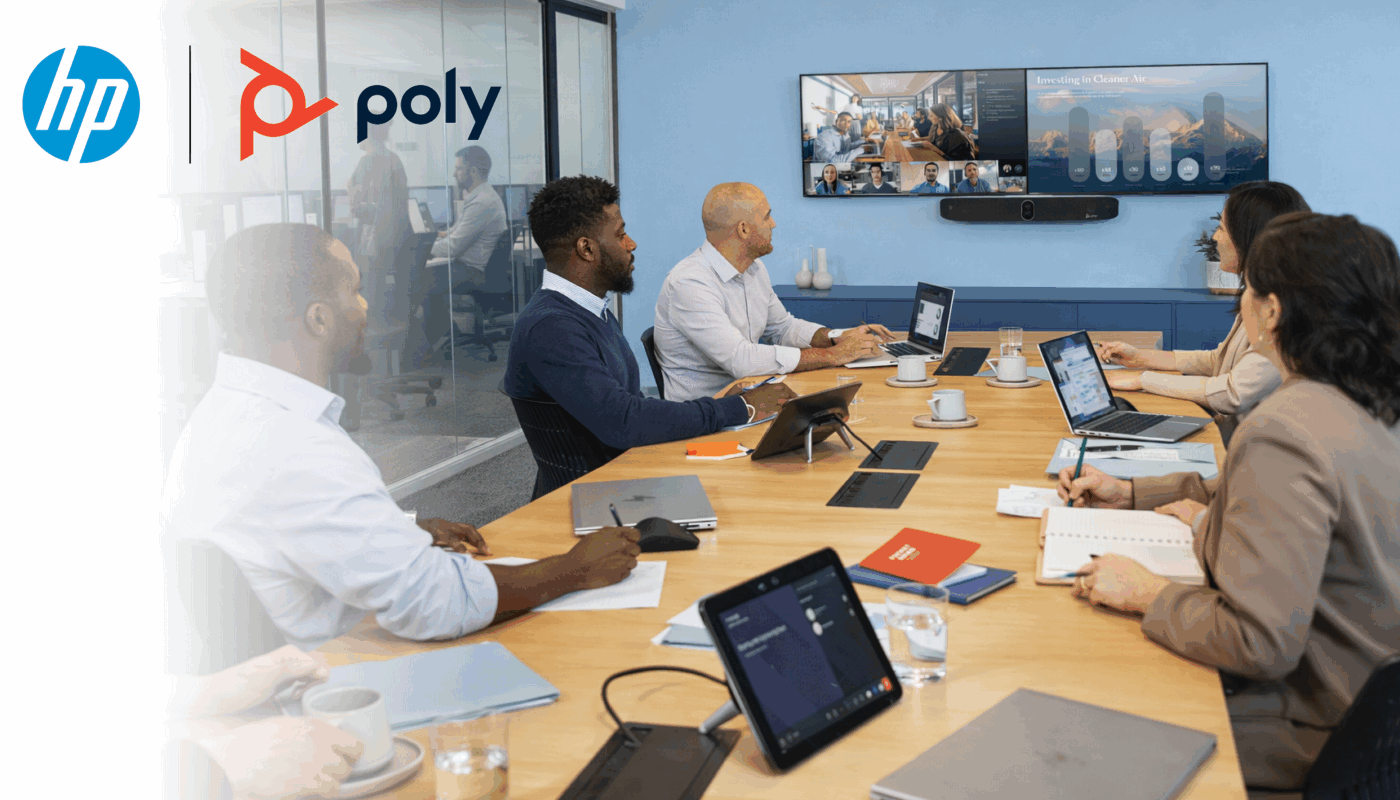
HP Poly Video Conferencing Dubai
Poly Studio Video Bars UAE
You already have Teams or Zoom. What your meeting room is missing is Poly — the camera that frames everyone automatically, the microphone that kills AC noise and glass-wall echo, the system that joins the call with one tap. No PC required.
You Have Teams. Poly Is the Hardware That Makes It Work.
Teams and Zoom are software running on your laptop. Without the right video conferencing system in the room, your remote colleagues hear the air conditioning, see one person crouched over a laptop webcam, and spend the first ten minutes asking "can you hear me?"
Poly builds the camera, the microphone, and the speaker that make the software work the way it was designed to. One video bar. One cable from the ceiling. One tap to join — and every person in the conference room is seen and heard properly.
TRA-approved in UAE: Microsoft Teams, Zoom, Google Meet, Cisco Webex and Skype for Business are all approved for business video conferencing on Etisalat and du networks in UAE.
What Poly Adds to Your Meeting Room
Poly Studio USB Video Bars Dubai — Plug In, Any Platform, Any Laptop
For conference rooms where people bring their own laptops. Plug a Poly USB video bar into any laptop — Teams, Zoom, Meet, Webex, any platform, any device. No IT configuration needed per meeting. The right video bar for your Dubai office BYOD rooms.
Poly Studio R30
The Poly video bar for huddle rooms and small meeting spaces. 4K 120° field of view with DirectorAI, NoiseBlockAI, and Acoustic Fence in a USB plug-and-play bar. Clips to any display.
- 4K 120° FOV · DirectorAI auto-framing
- NoiseBlockAI + Acoustic Fence
- Sound Reflection Reduction (confirmed R30)
- USB-A plug-and-play — any platform
- Display mount, wall mount, tripod compatible
- Poly Lens remote management
Poly Studio V12
Announced ISE 2026 Barcelona. Designed for BYOD rooms. Single-cable setup via HP Thunderbolt 4 Dock. One cable gives the room display, network, camera, mic, speaker — and charges the laptop.
- USB-C single cable via HP Thunderbolt Dock
- Works with Windows, Mac, Chromebook
- DirectorAI · NoiseBlockAI
- Poly Lens managed from IT dashboard
- HP Workforce Experience Platform integration
Poly Studio USB
The original Poly USB video bar. Still widely installed across Dubai. 6-microphone beamforming array, 4K, DirectorAI. A reliable and cost-effective upgrade from any webcam setup.
- 4K 120° FOV · 6-microphone beamforming array
- NoiseBlockAI + Acoustic Fence
- DirectorAI: Group, Speaker, People Framing
- Expansion mic port for larger rooms
- USB-A · any platform
- Bluetooth remote included
Platform compatibility: All Poly Studio USB bars work with Microsoft Teams, Zoom, Google Meet, Cisco Webex, RingCentral, and any browser-based video call. Standard USB device — no driver, no certification needed per platform.
Poly Studio X Series Dubai — No PC. No Cables. One Tap to Teams or Zoom.
The X Series is a complete video conferencing system in one device — camera, microphone, speaker, and platform software all built in. No laptop in the room. Walk in, tap the TC8 or TC10 controller, the calendar shows your meetings, join in one tap. VideoOS 5.0 — Android 13 — certified for Teams and Zoom. Device support through 2032.
Poly Studio X32
From AED 8,500 · TC8 controller included
Poly Studio X52
From AED 12,000 · TC10 available as kit
Poly Studio X72
From AED 18,000 · TC10 available as kit
VideoOS 5.0 — February 2026: All X Series devices updated to Android 13. Microsoft Teams and Zoom re-certified for VideoOS 5.0. Multi-mic audio mixing enhanced. Touch controller performance improved. Roadmap confirmed to Android 17 in 2028 and device support through 2032.
Poly Studio E70 and G7500 Dubai — When the Room Outgrows a Video Bar
For boardrooms, government meeting rooms, hotel conference facilities, and executive suites where a single video bar cannot cover the room. Poly E70 and G7500 are the video conferencing systems that scale to large spaces — camera systems and modular codecs built for the room, not the other way around.
Poly Studio E70
Dual-lens intelligent camera. Two 4K lenses working simultaneously — wide angle for group view, telephoto for speaker close-up. Both feeds at once.
- Dual 4K lenses — wide + telephoto simultaneously
- DirectorAI group + speaker feed at the same time
- USB camera: connects to X32, X52, X72, G7500
- Standalone tracking with no codec required
Poly Studio G7500
Modular enterprise codec. Camera, audio, and connectivity specified separately for the room. H.323 and SIP native — connects to any existing video infrastructure.
- H.323 + SIP native — legacy system connectivity
- IP microphone support — ceiling and table mics
- Acoustic Fence with multiple boundary mics
- Poly Trio C60 pod support — long boardroom tables
- Shure / QSC / Biamp DSP integration
- SCEP enterprise certificate management
Poly TC8 / TC10
Touch controllers that turn the X Series and G7500 into one-tap meeting rooms. Calendar integration shows the day's meetings. Tap once to join Teams or Zoom.
- Teams and Zoom calendar display
- One-tap meeting join
- Camera control in Device Mode
- SCEP certificate management
- Android 11 — VideoOS 4.1.0+
When X Series vs G7500: X32 and X52 handle 90% of Dubai conference rooms — self-contained, clean install, easy IT management. G7500 makes sense when H.323/SIP connectivity to legacy systems is needed, when existing professional audio must be preserved, or when ceiling microphones are part of the room design.
What Poly DirectorAI Actually Does — Four Modes Nobody Explains
Every competitor says "AI camera." None explain what it actually does or which mode to use in which room. Here is the full picture — sourced from Poly firmware documentation.
People Framing
Detects each individual in the room and creates separate face crops simultaneously. Remote participants see every person as if each had their own camera pointed at them. The system does not just zoom out to fit everyone — it actively identifies and frames each person individually. Works in rooms from 2 to 20+ people.
Group Framing
Adjusts camera angle and zoom to fit whoever is currently in the room. Four people at a table for twenty — camera tightens to show only the four. When three more walk in mid-meeting, camera re-frames automatically to include everyone. No one touches a control. No operator needed.
Speaker Framing
Camera identifies who is speaking and keeps them in frame. Smooth cut transitions — improved in VideoOS 4.1.0 to reduce far-end fatigue from too-frequent reframing. Tracks speakers up to 15 feet from the camera. In rooms with optimal acoustics and lighting, can identify and track speakers beyond 15 feet.
DirectorAI Perimeter
You define the exact area the camera is allowed to frame — based on room width, in the admin interface. The camera locks to that zone. Someone walking past outside your glass-walled meeting room: excluded. Colleagues visible through a glass partition: excluded. The system multiplies the sensitivity value by 12 to determine the capture angle (sensitivity 5 = 60°, sensitivity 10 = 120°). Camera and microphones both honour the perimeter boundary.
Why Dubai Offices Need DirectorAI Perimeter
Business Bay, DIFC, JLT, Downtown Dubai — glass-walled offices are the standard. Clients on a call should not see whoever happens to be walking past your meeting room. And in open-plan offices, people visible through glass partitions should not appear in your video frame. DirectorAI Perimeter is a professionalism and confidentiality control, not a minor technical setting. Confirmed in Poly VideoOS 4.1.0 release notes and extended in VideoOS 4.6.0. Available on Studio X52, X70, X72, G7500, and G62 — requires TC8 or TC10 controller. The Poly Studio X32 uses three-mode DirectorAI (speaker, people, group framing) without Perimeter. Zero UAE competitors mention this distinction.
Still Running Polycom in Dubai? This Is Your Direct Upgrade Path.
Polycom RealPresence Group Series, HDX 6000/7000/8000, and CX5500 are discontinued video conference systems. No new firmware. No Teams certification. No Zoom certification. If you need to replace Polycom in Dubai — or upgrade your Polycom video conferencing system to Teams — here is the exact model-for-model map, and what stays the same.
What stays from your existing room: If you have Shure IntelliMix P300, QSC Core, or Biamp audio processors installed — they connect directly to the Poly X52 or G7500. Your room audio investment is preserved. Polycom removal and new Poly installation in one project, one site visit, one AED quote.
Existing Polycom still running? We support your current installation while you plan the upgrade. If a Polycom system goes down across Dubai and Abu Dhabi, we provide same-day emergency diagnosis. Contact us before you are in a crisis meeting.
Poly Lens — Manage Every Meeting Room in Dubai from One Dashboard
For IT managers with 5 or 50 rooms across multiple UAE offices. Every Poly device. One cloud dashboard. No site visits for routine maintenance.
Full Fleet Visibility
Every Poly device across all your offices in one dashboard. Device online? Camera operational? Firmware current? Room being used or sitting empty all day? All visible from your desk in Dubai.
Firmware Push — All Rooms at Once
Push firmware updates to all 30 rooms simultaneously. No site visits. VideoOS 5.0 was pushed to all compatible devices via Poly Lens the week it released — no technician needed in any room.
Room Utilisation Data
Which rooms are used and when. Which rooms sit empty despite being booked. For DIFC businesses paying high rent per square metre — utilisation data informs real estate decisions, not just IT ones.
Remote Troubleshoot
Restart a device in your Sharjah office from your desk in Dubai. Check network status. Push a config change. Resolve most issues without a call-out. Saves your facilities budget and your team's time.
Bulk Provisioning
Configure 20 rooms with identical settings in one action. Standardise Acoustic Fence sensitivity, DirectorAI mode, scheduled restart time, across your entire UAE fleet.
SCEP + Enterprise Security
Automatic enterprise certificate enrollment. Devices enroll and renew digital certificates without manual site visits. AOSP device management for Teams Rooms devices from VideoOS 4.5.2.
VideoOS 5.0 — February 2026: Poly Lens now integrates with HP Workforce Experience Platform. IT teams using HP WXP manage Poly devices in the same dashboard as their laptops and PCs — single sign-on, no separate Poly Lens login. New Poly Lens IoT infrastructure expanded to six active hubs for greater redundancy across UAE cloud routing.
Which Poly System for Which Room in Your Dubai Office
Room size determines the right video conferencing system. The right Poly video bar for a small conference room is a different decision from a large boardroom. We survey every room before recommending — dimensions, screen position, existing infrastructure, ceiling height.
Up to 6 People · Room up to 5m
6–14 People · Room 5–8m
14+ People · Room 8m+
Poly Studio X Series vs Poly G7500 — When to Choose Which
The X32, X52, and X72 handle around 90% of Dubai meeting rooms. Self-contained — camera, microphone, speaker, and platform software in one device. Clean installation. Easy for IT to manage via Poly Lens. No separate codec rack.
The G7500 makes sense when the room has a specific requirement the X Series cannot meet: H.323 or SIP connectivity to a legacy on-premise video system; existing ceiling microphone infrastructure that needs to stay; Shure, QSC, or Biamp audio processors already installed that cannot be replaced; or a room over 20 metres where a single-unit video bar cannot provide full coverage. If none of these apply to your room, X Series is the right answer.
Poly Studio — Certified for Every Platform Your Dubai Teams Use
Not just Teams. Not just Zoom. Certified for Teams, Zoom, Google Meet, and SIP — and the X Series can switch between Teams and Zoom mode without a factory reset.
Microsoft Teams Rooms
X32, X52, X72, G7500 run Teams Rooms natively. Teams calendar on TC8/TC10. One-tap join. Room displayed in Teams Admin Center. AOSP device management from VideoOS 4.5.2.
Re-certified for Android 13 with VideoOS 5.0 — February 2026.
Zoom Rooms
Same devices run Zoom Rooms natively in Zoom mode. Switch between Teams mode and Zoom mode in admin settings — no factory reset required. One device, both platforms, on demand.
Re-certified for Android 13 with VideoOS 5.0 — February 2026.
USB / Platform Agnostic
R30, V12, Studio USB — plug into any laptop, any platform. Teams, Zoom, Google Meet, Webex, Cisco, RingCentral, any browser-based call. Standard USB device — no certification required per platform.
SIP / H.323 Standards-Based
G7500 supports H.323 and SIP natively. Connects to any existing video infrastructure from any vendor. Critical for government entities and large enterprises running on-premise video systems.
TRA approval — UAE: Microsoft Teams, Zoom, Google Meet, Cisco Webex and Skype for Business are all TRA-approved for business video conferencing in UAE on both Etisalat (eLife) and du networks.
HP Poly Supply and Installation Across All UAE Emirates
HP Poly video conferencing systems and video bars — stocked in Dubai, installed across all 7 emirates. Multi-site rollouts from one AED quote.
Dubai
Business Bay, DIFC, DMCC, JLT, Downtown — glass offices with specific Poly configuration needs
Abu Dhabi
ADGM, ADNOC sector, government ministries, oil and gas — enterprise Poly deployments
Sharjah
Industrial and commercial — full Poly range supplied and installed
Ajman
SME and commercial — Poly Studio USB and R30 range
Ras Al Khaimah
Industrial and hospitality — Poly X series for hotel boardrooms
Fujairah
Port, logistics, commercial — Poly installed and supported
Umm Al Quwain
Government and commercial — full supply and installation
GCC Export
Saudi Arabia, Kuwait, Qatar, Oman, Bahrain — Poly supplied with air freight documentation
Multi-site UAE rollout: One Poly specification across all your UAE offices — same model, same VideoOS firmware, same Poly Lens dashboard. One AED contract. One support contact.
HP Poly Installation Dubai — From Quote to Live Call
We do not ship boxes. Every Poly video conferencing system installation in Dubai includes site survey, full configuration, and a live test call before we leave.
Site Survey
Room dimensions, screen position, existing audio, PoE++ switch spec, Polycom deinstallation if upgrading. We check everything before recommending a model.
AED Quote
Hardware, accessories, installation, Poly Lens onboarding — all in one AED figure. No surprises. Teams or Zoom license guidance included.
Installation
Mounting, cabling, PoE++ verification, Teams or Zoom room configuration, DirectorAI perimeter setup for glass-walled rooms, Poly Lens IT dashboard onboarding.
Handover
Live test call with you present. IT team trained on Poly Lens. We do not leave until the call works. Post-installation support included.
Full HP Poly Range — All Models in Dubai
Every current Poly Studio model stocked and available for same-day AED quote.
Poly Studio X Series
Poly Studio X32 Video Bar Poly Studio X52 Video Bar Poly Studio X72 Video Bar Poly Studio X70 Video BarPoly Studio V / USB Series
Poly Studio V12 USB Bar Poly Studio V52 USB Bar Poly Studio V72 USB Bar Poly Studio USB Poly Studio R30Poly Studio E · G Series
Poly Studio E70 Camera Poly Studio E360 Camera Poly Studio E60 Camera Poly G7500 Codec Poly Studio G62HP Poly Video Conferencing Dubai — Frequently Asked Questions
Answers to the questions Dubai IT managers and procurement teams ask most.
Tell Us Your Room. We Recommend the Right Poly System Today.
Upgrading from Polycom. Setting up a new room. Rolling out across multiple UAE offices. Same response — AED quote within the hour, site survey arranged same week.
HP Poly Video Conferencing Dubai · Poly Video Conferencing System Dubai · Poly Video Conference System UAE · Poly Studio Video Bars UAE · Poly Video Bar Dubai · Polycom Video Conferencing Dubai · Poly Distributor Dubai · Polycom Upgrade Dubai · Replace Polycom Dubai · Poly Teams Rooms UAE · Poly Huddle Room Camera Dubai · Conference Room Video Bar Dubai · Video Conferencing Dubai · Yealink · Logitech · AVer